
Commercial Access Control System Guide for LA
- Jul 23
- 6 min read
A lost key is rarely just a lost key. At a commercial property, it can mean an ex-employee still has after-hours access, a vendor can enter an unstaffed area, or no one can confirm who opened a restricted door. This commercial access control system guide helps Los Angeles property managers and business owners make practical decisions before a small gap becomes a serious incident.
The right system does more than replace physical keys. It establishes who may enter, where they may go, and when access should end. Combined with trained security personnel, cameras, visitor procedures, and a clear response plan, access control becomes an active layer of protection rather than a piece of hardware on the wall.
Commercial Access Control System Guide: Start With Risk
Do not begin by choosing readers, cards, or a mobile app. Begin with the site itself. A downtown office, medical facility, construction yard, mixed-use building, warehouse, and event venue face different exposure points. The answer depends on the assets being protected, operating hours, foot traffic, tenant needs, and the consequences of unauthorized entry.
Walk the property from the outside in. Identify public entrances, employee doors, loading areas, parking access, roof hatches, elevator lobbies, server rooms, inventory storage, and any door that is routinely propped open for convenience. In Los Angeles, properties also need to consider transient activity near entrances, deliveries at irregular hours, and multiple vendors moving through the site.
A risk assessment should answer three direct questions: Which areas must remain public? Which areas require controlled access? Which areas require documented access and immediate alerting if someone attempts entry? Not every door needs the same level of control. Overbuilding a system can frustrate staff and strain a budget, while underprotecting a high-value area leaves the real risk untouched.
Define Access by Role, Not by Person
A dependable access program is built around roles. Reception staff may need daytime access to the main office and supply room. Facilities personnel may need early-morning access to mechanical areas. Executives may need after-hours entry, while vendors need temporary access only during scheduled service windows.
Role-based permissions make changes faster and safer. When a new employee starts, management assigns the appropriate role instead of manually selecting doors one by one. When someone changes departments or leaves the company, their credentials can be adjusted or disabled immediately. This is far more controlled than collecting keys and hoping every copy is returned.
Avoid granting broad access simply because it is easier. Restrict entry to what each role genuinely requires. This limits exposure if a credential is lost, shared, stolen, or misused. It also creates cleaner records when management needs to review an incident.
Set clear rules for temporary access
Visitors, contractors, delivery teams, and event vendors create frequent weak points. Their access should be time-limited, assigned to specific doors, and tied to a check-in process. A contractor repairing equipment may need access to a utility room from 8 a.m. to 4 p.m., not a permanent credential that works throughout the building.
For higher-risk sites, require an escort for visitors beyond the lobby. For larger commercial campuses or busy events, a staffed access point can verify identity, manage badges, direct arrivals, and intervene when someone attempts to bypass the process.
Choose the Right Credentials and Readers
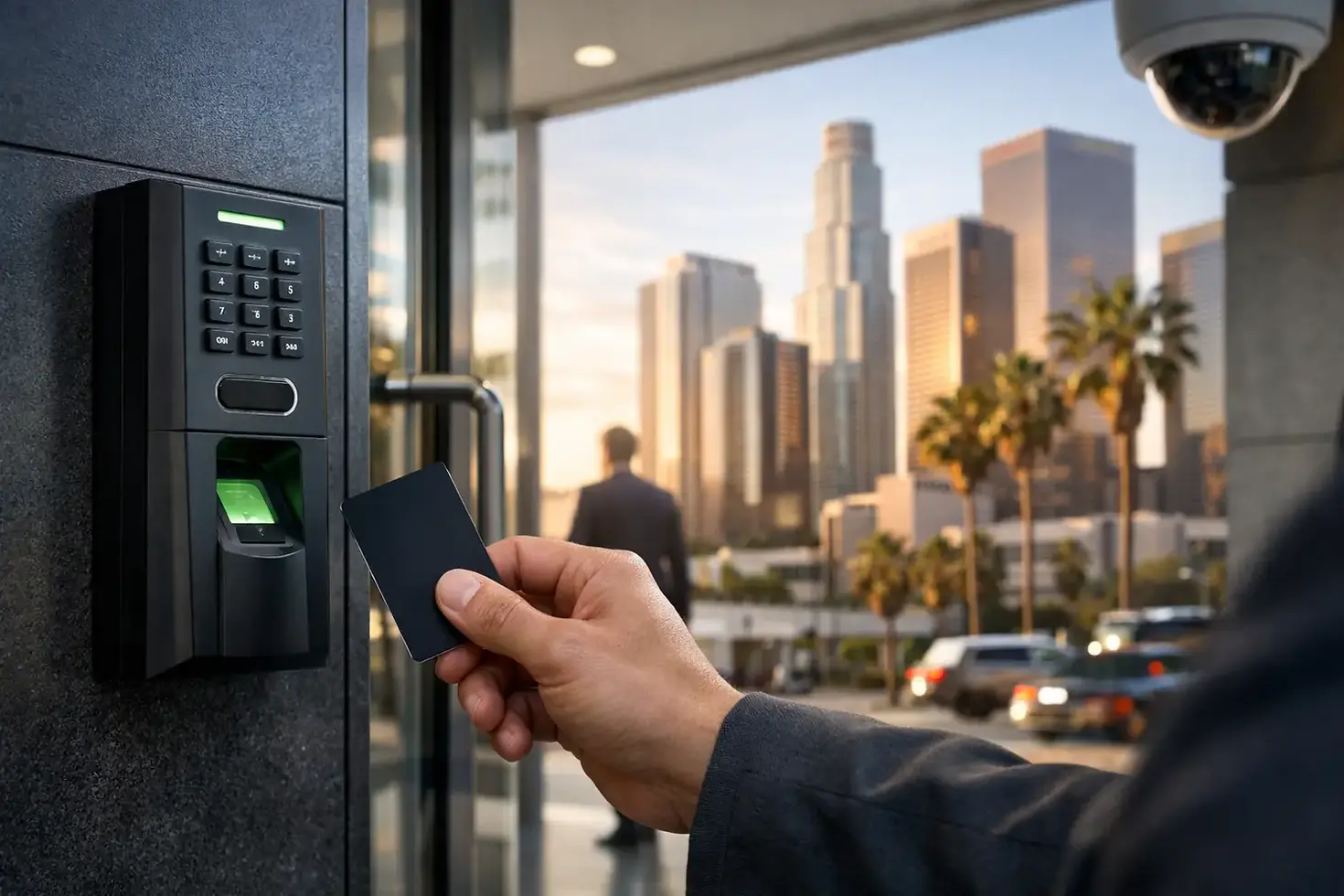
Credentials should match the way your team works. Key cards and fobs remain familiar, affordable options for many offices and residential communities. Mobile credentials can reduce the need to issue physical cards and are useful for organizations with distributed teams or frequent schedule changes. PIN pads may work for limited areas, but codes are easily shared and should not be the only protection for sensitive spaces.
Biometric access can add certainty in select environments, but it raises privacy, enrollment, maintenance, and employee-relations considerations. It may be appropriate for a data room, pharmaceutical storage, or controlled operations area. It is not automatically the best choice for every employee entrance.
Reader selection also matters. Exterior readers need to withstand heat, weather, and frequent use. Parking gates, glass storefront doors, and loading entrances often require different equipment than interior suite doors. If a reader is exposed to the public, consider how it will be protected from tampering and whether forced-door or door-held-open alerts are needed.
For critical entrances, use credentials that are difficult to copy and readers that support encrypted communication. Low-cost, outdated card technology may look acceptable at installation, but it can create an avoidable vulnerability over the life of the system.
Plan for Operations, Not Just Installation
Access control succeeds or fails in daily use. Before installation, assign responsibility for adding users, changing permissions, reviewing alerts, issuing visitor credentials, and removing access after termination. If no one owns these tasks, even well-designed hardware becomes unreliable.
Create a written access policy that explains who approves credentials, how quickly access is removed, what happens when a card is lost, and how staff should report a malfunctioning door. Termination procedures deserve special attention. Access should be disabled at the time employment or a vendor relationship ends, not after a manager finds time to submit a request.
Audit logs are one of the strongest benefits of electronic access control, but only if they are reviewed when needed. Logs can help confirm when a door was opened, whether a credential was denied, and whether a door was held open. They do not tell the full story on their own. Pairing access events with camera coverage and trained personnel provides a more reliable picture of what happened.
Build a response plan for alerts
A forced-door alert at 2 p.m. may require a different response than the same alert at 2 a.m. Define escalation before an incident occurs. The plan may include contacting an on-site supervisor, dispatching a mobile patrol, checking live camera footage, notifying property management, or contacting law enforcement when circumstances warrant it.
The goal is not to generate more alarms. The goal is to create actionable information and a disciplined response. Too many unaddressed alerts train staff to ignore the system. Fine-tune notifications so security teams receive the events that require attention without being buried in routine activity.
Integrate Access Control With Physical Security
Electronic access control is strongest as part of a layered plan. A credential reader cannot replace adequate lighting, a working door closer, camera placement, visitor screening, or visible security presence. A door that does not latch properly remains a vulnerability, even if it has an advanced reader.
Camera coverage should clearly capture faces and activity at controlled doors, especially after-hours entrances, loading areas, and access points near valuable assets. Security officers can monitor compliance, prevent tailgating, challenge unauthorized individuals, and respond when systems identify an issue. This human element is especially valuable at properties with changing activity, multiple tenants, or public-facing operations.
For event spaces, access control may be temporary and procedural rather than permanent. Credentialed staff entrances, wristband checks, restricted backstage areas, equipment zones, and vehicle access points all require the same basic discipline: verify authorization, control movement, and respond quickly to exceptions.
Budget for Reliability and Growth
The lowest installation quote is not always the lowest long-term cost. Ask what happens when your company adds employees, expands into another suite, changes tenants, loses internet connectivity, or needs records after an incident. Confirm who manages software updates, hardware repairs, credential replacement, and emergency support.
Cloud-managed systems can make administration easier across multiple locations, but they depend on sound network practices and reliable account management. Locally managed systems may offer greater on-site control, but can require more technical oversight. Neither approach is automatically superior. Choose the model your team can operate consistently and securely.
Also plan for power interruptions. Critical doors may need to remain secured during an outage, while certain exits must always allow safe egress. Fire and life-safety requirements are non-negotiable. Coordinate access control design with qualified installers and building requirements so security measures never interfere with emergency exit obligations.
Make Access Control Part of a Security Standard
The strongest commercial access control system is one that people understand, use correctly, and support with consistent procedures. Review permissions regularly, test doors and alerts, remove outdated credentials, and investigate patterns such as repeated denied-entry attempts or doors held open after business hours.
For Los Angeles properties that need more than a hardware installation, Wings Security Services can coordinate trained personnel, patrol coverage, surveillance oversight, and access procedures around the real conditions at the site. Protection improves when every layer has a clear purpose and someone is ready to act when it matters.



Comments